
Product Walkthrough
How MediaReachAI Helps Small Businesses Plan Social Media
MediaReachAI brings business context, supported social results, content creation, scheduling, and next-step guidance into one private dashboard. You stay in control of business decisions and approvals; the software organizes information and helps produce the work.

Step 1
Set up the business profile and supported accounts
You add the services, locations, customer questions, goals, proof points, and calls to action that make recommendations specific to your business. You can then connect approved Facebook and Instagram accounts when the required permissions are available.
You handle
Accurate business details, account authorization, goals, and final approval.
MediaReachAI handles
Organizing saved context so supported tools can reuse it consistently.
Availability note: Google Business Profile is not currently available. Facebook and Instagram connection features remain subject to Meta permissions and account eligibility.
Step 2
Understand Facebook and Instagram results
When comparable connected-platform results are available, the dashboard summarizes performance, consistency, and patterns in plain language. New or limited-data accounts receive cautious guidance while history builds.
If recent posts support a content or format pattern, MediaReachAI can use that evidence in a recommendation. It does not promise future reach, sales, or conversions.

Step 3
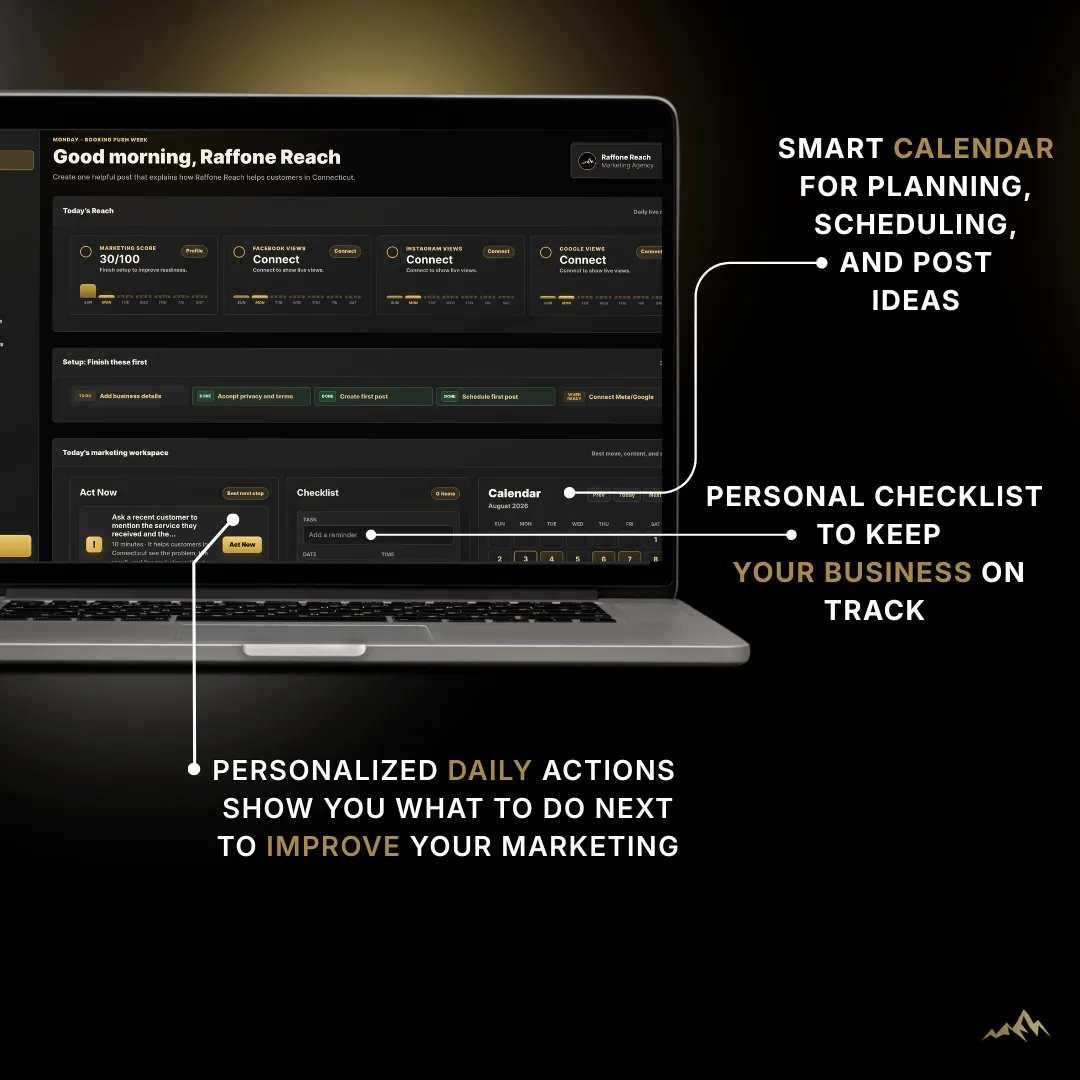
Use Act Now and the weekly marketing plan
Act Now focuses attention on a useful next action. The weekly plan coordinates a small set of actions across the week using your profile, completed work, and available performance evidence.
- Clarify one service message.
- Create a supporting Facebook or Instagram post.
- Schedule the approved post.
- Review comparable results after publishing.
You decide whether each action fits the business, edit the details, and complete or skip it.
Step 4
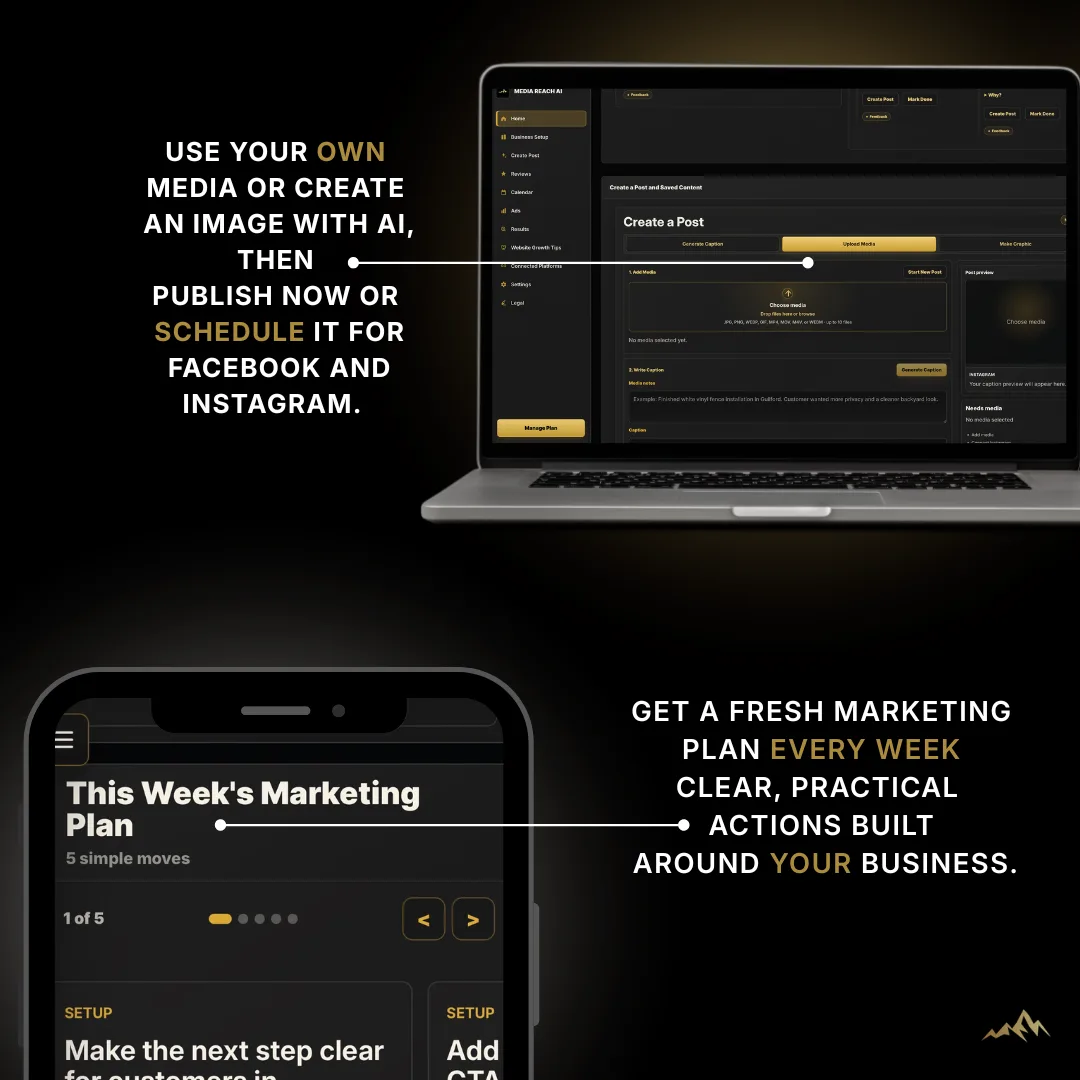
Create captions and graphics
Use the saved business profile and campaign direction to generate a caption or an original social graphic. Review every draft for accuracy, brand fit, pricing, offers, and required disclosures before using it.
You handle
Facts, edits, approval, rights to uploaded media, and the final customer promise.
MediaReachAI handles
Draft generation and keeping the creative direction connected to saved business context.
Step 5
Schedule supported social posts
After review, connected customers can schedule supported Facebook and Instagram posts from the content workspace. Publishing depends on the selected media, supported formats, active platform permissions, and platform availability.
MediaReachAI prepares and sends the approved post; you are responsible for the content, timing, permissions, and confirming the published result is correct.
Step 6
Review results and decide what to do next
Return to the dashboard to review available results, weekly wins, comparisons, and updated guidance. Treat recommendations as decision support: confirm that the evidence is relevant, then repeat, adjust, or test one variable.
- Check whether the platform data is current and comparable.
- Separate content patterns from posting-day or posting-time patterns.
- Choose the next action that fits current business priorities.
See the workflow
Explore MediaReachAI before creating an account
14 days free. No card required. $85/month if you choose to subscribe. There is no automatic charge; product access locks after 14 days unless you subscribe, and saved work remains available for restoration during the 30-day retention period.